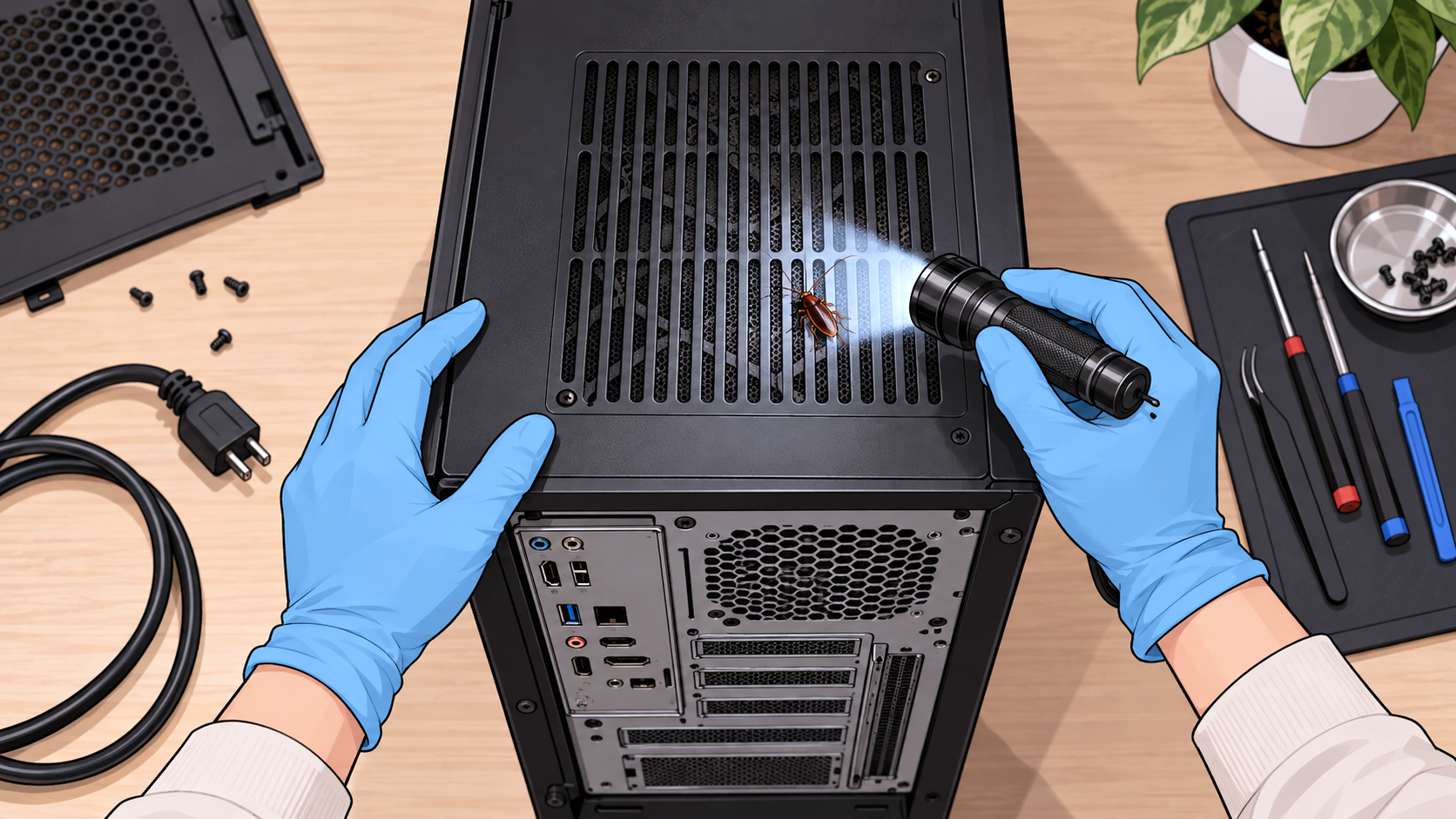
A cockroach disappearing through the ventilation slots of a gaming console or television creates a difficult situation. The insect may be hidden among delicate components that cannot be reached without opening the device, while spraying or washing those components can cause more damage than the cockroach itself.
The safest way to deal with cockroaches inside electronics is to disconnect the affected equipment, contain it where appropriate, inspect accessible openings, and arrange professional servicing if insects are established inside. Cockroach traps and properly labeled baits can help control activity around the device, but they should not be placed inside its circuitry.
There is no universal household treatment that guarantees cockroach removal without risking damage. The appropriate response depends on the device, whether live insects are present, and how safely its internal components can be accessed.
Signs That Cockroaches Are Living Inside a Device
Seeing one cockroach cross a television does not prove it lives inside. Repeated sightings at ventilation openings, insects emerging when equipment is moved, and visible droppings around ports or seams provide stronger evidence.
German cockroaches are particularly associated with electrical equipment because they exploit confined indoor shelters. Mississippi State University’s household insect guidance identifies televisions, radios, and computer monitors among objects capable of transporting concealed German cockroaches.
Look for insects around cooling vents, cable connections, removable covers, and the surface beneath the device. Small dark specks may be suspicious, but dust and other debris can resemble cockroach droppings. An identifiable insect or repeated emergence provides more convincing evidence.
A malfunction alone cannot diagnose cockroach contamination. Unexpected shutdowns, fan noise, overheating, and charging problems have numerous electrical or mechanical causes. A technician may discover insect remains during servicing, but those remains must be examined before attributing a failure to cockroaches.
Disconnect and Isolate the Equipment
If live cockroaches are emerging from a device, shut it down using its normal controls, disconnect external power when safe, and allow it to cool. Remove connected cables and peripherals where practical, checking them for insects before setting them aside.
Battery-powered equipment requires additional care. Switching off a laptop or console does not necessarily disconnect its internal battery. Do not attempt to remove a sealed battery, open a power supply, or dismantle a television to reach insects.
Dell’s electrical safety guidance recommends disconnecting equipment before cleaning and warns against inserting objects into ventilation openings. Some internal components can remain hazardous after external power is removed.
For a small device that can be safely powered down and fully disconnected, temporary containment in a suitable clear plastic container with a secure lid may prevent escaping insects from spreading. The enclosure should be large enough to avoid damaging cables, screens, or controls. Do not operate or charge equipment while enclosed, and avoid leaving sensitive electronics where condensation or extreme temperatures may develop.
Large televisions, computers with integrated batteries, and devices that remain hot should not be sealed indiscriminately. If containment cannot be achieved safely, leave the equipment disconnected in an accessible location and arrange professional assistance.
Inspect Without Opening Sealed Electrical Components
Begin with a flashlight and examine the exterior. Check ventilation grilles, cable ports, removable accessories, mounting brackets, and the surface where the equipment normally rests. Small nymphs can occupy gaps that an adult cockroach cannot, so an opening that appears too narrow may still permit entry.
Do not insert screwdrivers, wires, cotton swabs, or vacuum attachments deep into openings. Avoid striking or shaking the device aggressively to dislodge insects. These actions can damage internal components or drive cockroaches farther into inaccessible spaces.
The University of Minnesota’s cockroach guidance recognizes that small household objects can conceal insects and recommends containment and inspection as part of preventing their spread. However, methods appropriate for ordinary objects are not automatically safe for electronic equipment.
A keyboard with removable keycaps, a desktop computer case designed for user servicing, and a sealed television require different levels of access. Follow manufacturer instructions rather than assuming every device can be safely opened.
The different body sizes of cockroaches also limit what an exterior inspection can establish. An absence of visible adults does not exclude smaller insects concealed behind internal components.
Never Spray Insecticide, Alcohol, or Water Into Electronics
Liquid insecticides, aerosol sprays, cleaning solutions, and homemade remedies should not be introduced through ventilation slots or electrical ports.
Even when a device is unplugged, liquid residues may damage circuit boards, connectors, insulation, and other components. Some products also contain flammable solvents or propellants. Electricity-related hazards may remain within equipment containing capacitors or internal batteries.
The EPA’s pesticide label guidance identifies electrical shock hazards associated with certain liquid pesticide applications near electrical equipment. Its guidance requires appropriate warning statements where products present these risks.
Similarly, Dell’s computer-cleaning instructions prohibit spraying liquids directly onto equipment and recommend disconnecting power before cleaning.
Do not substitute rubbing alcohol, vinegar, essential oils, boric acid powder, or diatomaceous earth for insecticide spray. Alcohol can introduce flammability and material-compatibility concerns, while powders can contaminate fans, connectors, and circuitry.
The health and electrical-safety concerns associated with cockroach sprays make indiscriminate application especially undesirable around equipment that may later be handled or operated.
Are Freezing, Heating, or Compressed Air Safe Ways to Remove Cockroaches?
Several household methods may dislodge or kill insects but are unsuitable for many electronic devices.
Freezing is sometimes recommended for infested household objects. The University of Minnesota describes a cold-treatment method for certain small items, but that recommendation should not be applied indiscriminately to laptops, televisions, gaming consoles, or battery-powered electronics. Condensation, material stress, and battery limitations can create damage risks.
Heating devices with a hair dryer, placing them in direct sunlight, or sealing them in a hot vehicle presents similar problems. Electronics have manufacturer-specified operating and storage temperatures, and exceeding them may damage batteries, plastics, adhesives, or internal components.
Compressed air can remove ordinary dust from equipment when used according to the manufacturer’s instructions. It is not a dependable cockroach treatment. Blowing into an infested enclosure may scatter debris, force insects deeper inside, or propel them into the room.
The manufacturer’s maintenance guidance for computer equipment emphasizes using appropriate cleaning methods and avoiding moisture damage. Pest removal should not override those equipment-specific restrictions.
If insects are established behind circuit boards or inside inaccessible housings, professional servicing is safer than attempting to force them out with extreme temperatures or pressurized air.
Control Cockroaches Around the Device, Not Inside It
An affected device should not be treated in isolation from its surroundings. If cockroaches remain active around the desk, entertainment cabinet, or adjacent wall openings, cleaned equipment may be exposed again.
Place sticky cockroach monitors along accessible movement routes near the equipment, keeping adhesive away from ventilation openings, cables, pets, and children. The Cornell Integrated Pest Management program recommends monitors for locating activity and assessing whether cockroach populations remain present.
Appropriately labeled enclosed bait stations may be placed in protected nearby locations, provided the product permits the application. Do not insert bait into a console or computer or smear gel along electrical ports. Products designed for structural cracks are not automatically approved for use inside electronics.
The EPA recommends baits and targeted applications over unnecessary widespread spraying. Reducing accessible food, clutter, and nearby shelter also limits the opportunities for cockroaches to remain around the equipment.
Repeated captures of German cockroaches near multiple devices may indicate a broader indoor population. Their ability to occupy shared hiding spaces means that visible insects around one console may represent only part of the activity in a room.
When Should an Electronics Technician Handle the Device?
Professional servicing is appropriate when insects are repeatedly emerging from an enclosure, droppings are visible through ventilation openings, or the equipment begins malfunctioning after confirmed cockroach activity.
Contact an authorized repair provider and explain the suspected infestation before delivering the device. Some repair businesses have policies concerning pest-contaminated equipment, and advance notice allows them to decide whether they can accept it safely.
An electronics technician can determine whether the enclosure may be opened, whether components are contaminated, and whether cleaning or replacement is practical. A pest-management professional can assess the surrounding cockroach population, but ordinary pest-control credentials do not authorize someone to dismantle energized electronic equipment.
The EPA’s advice on selecting pest-control services recommends asking providers about their methods and the source of the infestation rather than relying on routine pesticide applications.
Devices with extensive internal contamination, damaged circuitry, or unsafe power components may be uneconomical to repair. If disposal becomes necessary, use an appropriate electronics recycling service instead of placing damaged batteries or electrical equipment in ordinary rubbish.
Before connecting replacement equipment, address confirmed cockroach activity around the original installation area. The locations where cockroaches hide during the day may include nearby furniture joints and structural gaps rather than the device alone.
How to Prevent Cockroaches From Returning to Electronics
After cleaning or replacing affected equipment, pay attention to the immediate installation area. Remove food wrappers, crumbs, unnecessary cardboard, and accumulated debris from entertainment units and computer desks. Keep ventilation openings unobstructed and allow the clearance recommended by the manufacturer.
Inspect used electronics before bringing them indoors. A secondhand gaming console, router, or television with insects concealed inside can introduce cockroaches into an otherwise unaffected room.
Keep sticky monitors near previously active locations for a period after servicing. Declining catches provide useful evidence that surrounding activity has decreased, while continued captures suggest the device was not the only occupied shelter.
The difficulty of eliminating cockroaches from concealed spaces makes it important to assess the surrounding population rather than repeatedly cleaning the same piece of equipment.
A device can be repaired or cleaned successfully and still become reinfested if cockroaches remain active nearby. Keeping the equipment undamaged requires a separate approach from managing those insects: electronics technicians handle the internal components, while pest control concentrates on the accessible environment around them.
2 thoughts on “How to Get Cockroaches Out of Electronics”